
Lunor Quest
Quests, XP, and on-chain achievements around your token.
Quests, XP, and achievements tied to the same project as the token — not a disconnected campaign tool.
- product
- Lunor Quest
- surface
- Quest
- category
- Engage
- backend
- Not attached
- status
- Coming Soon
This page describes the intended product. Nothing here accepts a payment, sells a ticket, opens a workspace, sends a campaign, or answers a support conversation.
Inside Quest
A board of quests. XP on the card.
Four surfaces from the product. Members complete quests. Operators add the tasks. This page does not hold completions or scores, and it does not link to a live Quest app.
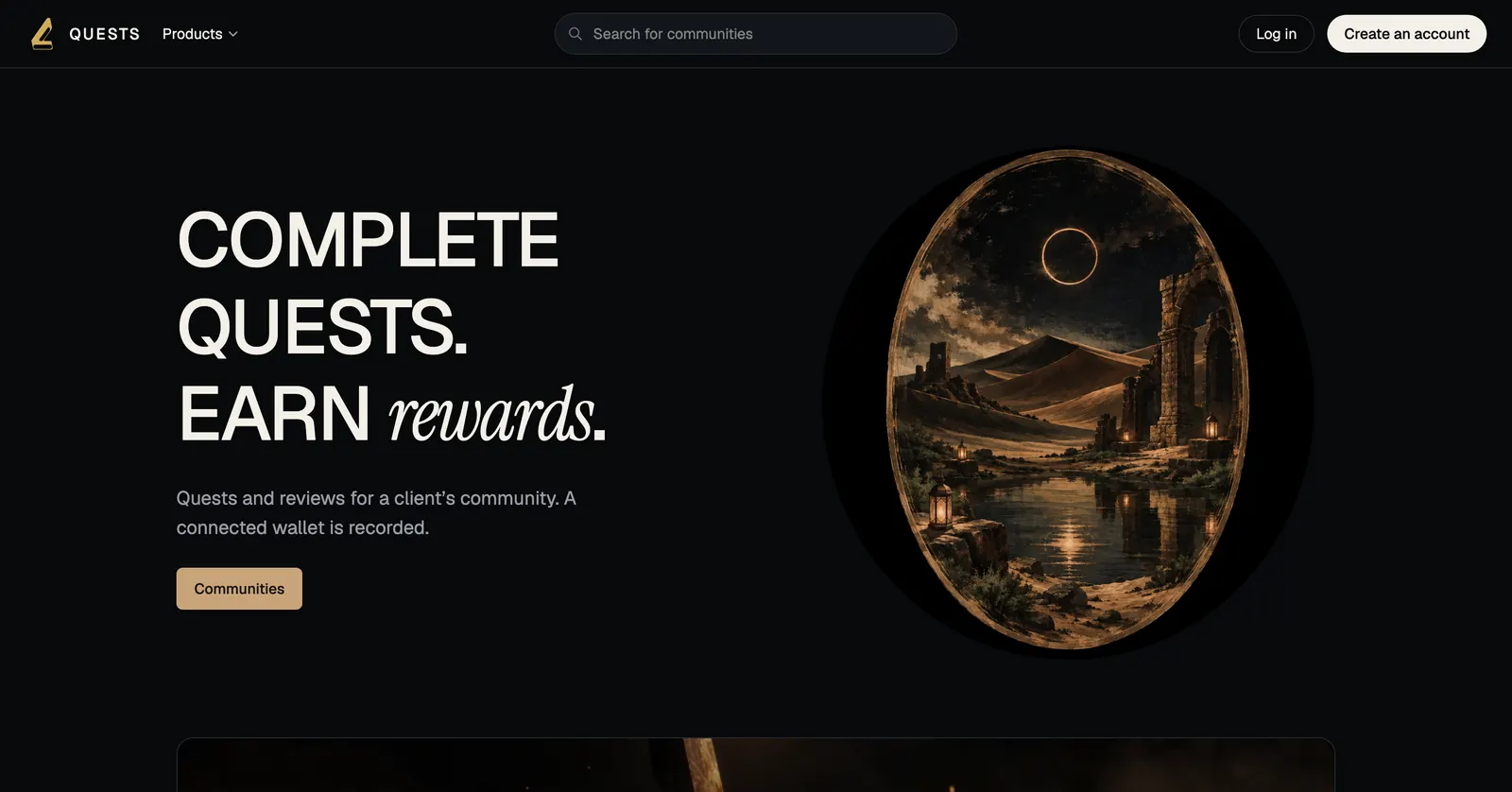
01 · Home
Communities and open quests on one site.
The Quest home is a directory, not a spreadsheet. A visitor picks a community, sees XP on the cards, and starts. This marketing page does not host that product.
- Communities and open quests on the home
- XP on each quest card
- No wallet required to browse
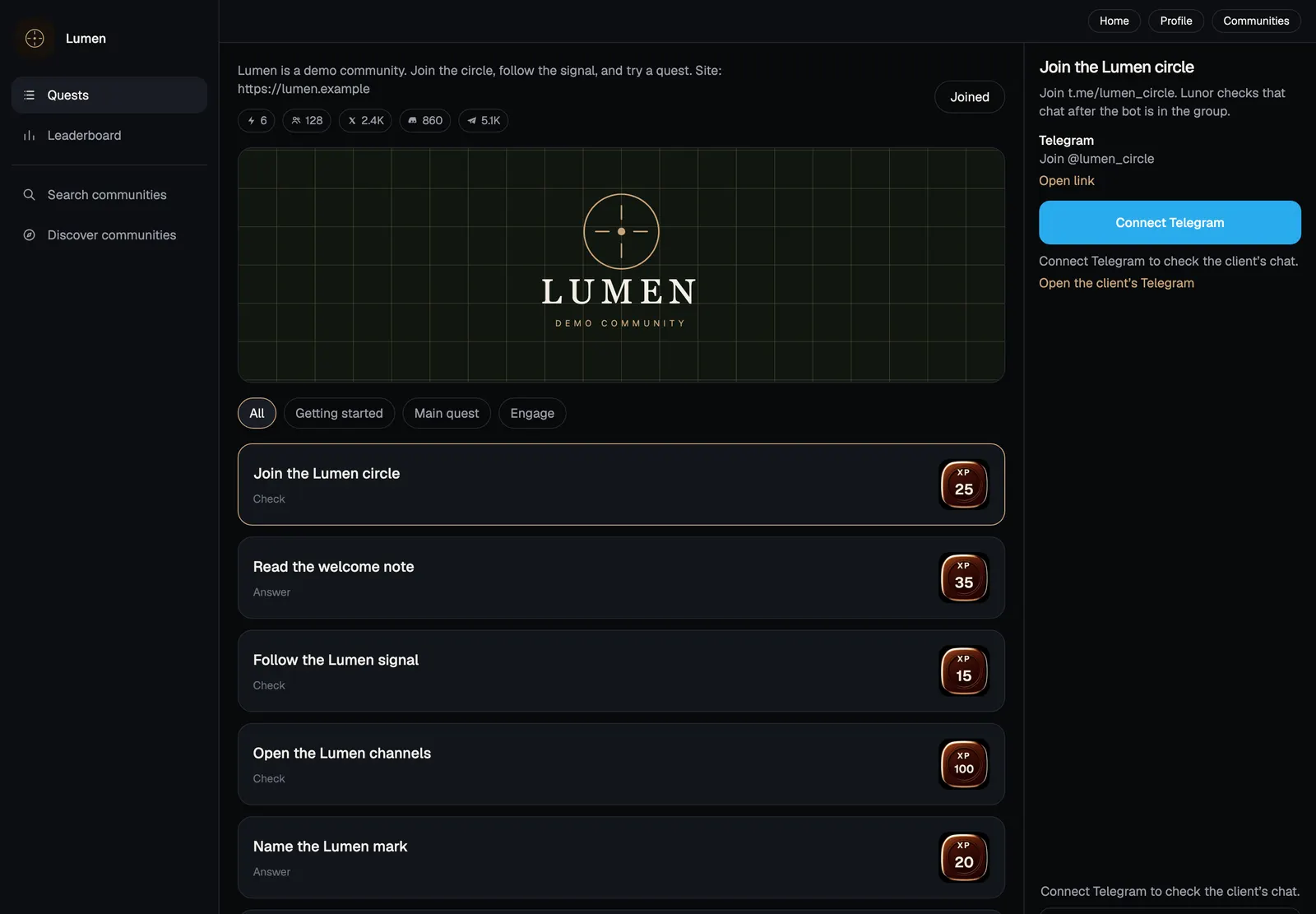
02 · Community board
The quests sit on a board. XP is on the card.
A community board lists the work — join a circle, read a note, follow a signal, open a channel. Each card has a state and an XP value. Connect Telegram from the same screen.
- Named quests with XP on the card
- Connect Telegram and other channels from the board
- Getting started and main quests in one list
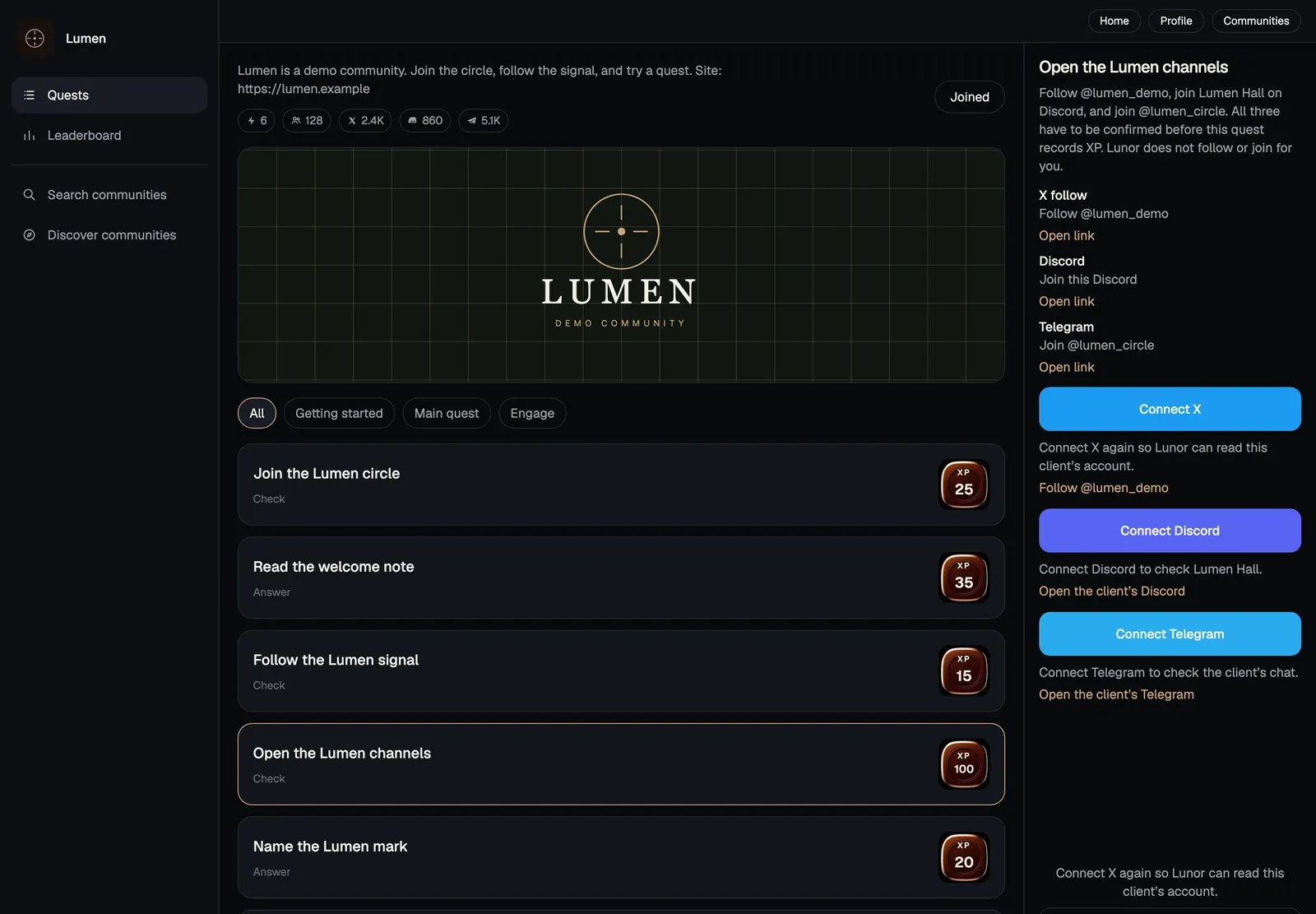
03 · Social quests
X, Discord, and Telegram on one quest.
A social quest asks a member to connect accounts. Follow, join, then confirm. XP does not move until the connections are checked.
- X, Discord, and Telegram as one quest
- Connect from the quest, not a third tool
- Confirmation before XP
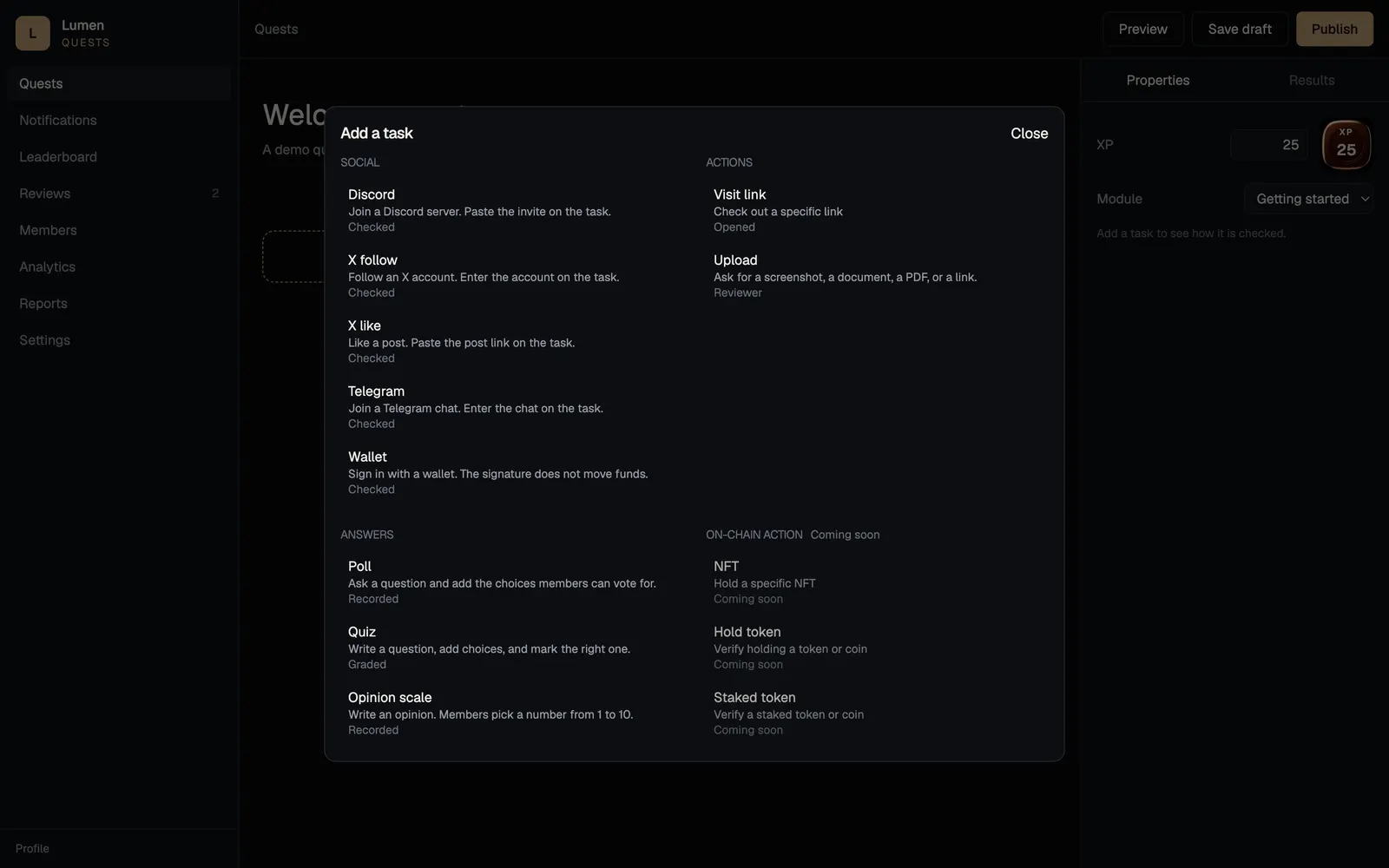
04 · Task types
Add a task. The types are on the sheet.
Operators add tasks from a catalog: social (Discord, X, Telegram, wallet), actions (visit a link, upload proof), and answers (poll, quiz, opinion scale). On-chain holds are labelled coming soon.
- Social, visit, upload, quiz, poll, and opinion scale
- Upload accepts images, documents, PDFs, or a link for review
- On-chain actions are marked coming soon — not live here
The problem
Engagement usually lives in a spreadsheet next to the token, not on it.
Missions, referrals, and leaderboards get stood up as a separate campaign. Completing one does not change eligibility anywhere else, and the project cannot see who did what without exporting another CSV.
A quest that nobody can prove completed is decoration. The record has to sit with the token, or it cannot feed distribution, staking, or a later campaign.
The approach
Quests on the same project record.
Lunor Quest is the engagement surface: a community board of quests, XP on each card, and task types operators actually publish — social, visit, upload, quiz, poll, opinion scale.
This page describes the product. It does not host your community, and it does not link out to a live Quest app. Talk to Engineering if you need Quest on a project.
Capabilities
What the module does.
Community board
Named quests with a state and an XP value, on one board.
Social quests
X, Discord, and Telegram on one quest. Connect, then confirm, then XP.
Visit a link
Open a URL as the completion condition.
Upload for review
Images, documents, PDFs, or a pasted link. A reviewer accepts before XP moves.
Quiz, poll, opinion
Marked answers, a single choice, or a 1–10 scale.
Task catalog
Operators add tasks from social, actions, and answers. On-chain holds are marked coming soon.
Explore
A public directory of communities, not a private spreadsheet.
Talk to Engineering
This page is the product description. Write if you need Quest on a project.
How it works
The workflow, step by step.
- 01Stand up a community
A board with quests, XP, and a place to connect channels.
- 02Add the tasks
Social, visit a link, upload proof, quiz, poll, or an opinion scale.
- 03Members complete them
Connect X, Discord, or Telegram; answer; or submit a file for review.
- 04Award XP
Each task has an XP value. Completions land on the board.
- 05Talk to Engineering
This page does not host your community. Write if you need Quest on a project.
Specification
At a glance.
- Task types
- Social, visit, upload, quiz, poll, opinion scale
- Unit
- Quest, task, XP
- On-chain
- Coming soon
- Public access
- Open to public soon
- Status
- Coming soon
Security
Completion records belong in the Quest product, not on this marketing site.
- This page does not store quest completions or holder scores
- There is no public Quest link from this site
- Production identity and rewards live in Lunor Quest when a project is set up
Full posture, including what we deliberately do not claim, is on the security page.
Use cases
Where it gets used.
A launch campaign
Missions that qualify holders for a later distribution.
Ongoing utility
XP and achievements that keep people coming back after TGE.
Community ranking
A leaderboard the project can actually audit.
Solution paths
Where this module sits in a bigger job.
FAQ
Questions asked before adopting this module.
Can we use Lunor Quest now?
Talk to Engineering from this page — Quest is selected on the intake so the brief starts in the right place. There is no public Quest app linked from this site yet.
Is this the same as Token Gamification?
Yes. Lunor Quest is that module. This page is the product description, not the live community.
Does completing a quest move tokens?
Not from this marketing site. Rewards and qualification are configured in Quest. Nothing here is a yield or an allocation.
Other modules
Same Console, same project record.
Next step
Tell us if you need Quest.
This page is the product description. There is no public Quest link here. Write to engineering if you need it set up on a project.